
If required, a selection of Supplier Assessments from your Completed Assessments tab can be converted into a PDF for saving and printing outside of the Activ system. The properties of these PDFs can be managed via the Branding tab in the System Administration area (see Branding – Your Company Logo and PDF Headers and Footers).
Note that, due to the volume of data that some Supplier Assessments may contain, you cannot download all Supplier Assessments in your system as one PDF. Instead, Activ allows you to generate a PDF containing up to twenty Supplier Assessments, with each Assessment beginning on its own page within the provided file. If you need to PDF a larger volume of Assessments, you will need to divide them into batches.
*****
To PDF Supplier Assessments that have been Completed (i.e. Fulfilled and Reviewed), open the Customers & Suppliers: Supplier Assessments area and click on its Completed tab. This will open a register of all Supplier Assessments that have been completed. Use the tick boxes displayed to the left of each record to specify which Assessments should be included in your PDF, noting that:
- you must select at least one Assessment to use the function;
- you cannot select more than twenty Assessments at a time;
- Activ will remember any selections made on previous pages (i.e. you can select Assessments from multiple pages if required); and
- By default, each page of the register displays ten Assessments.
Once you have made your selections, click on the PDF button at the bottom of the page.
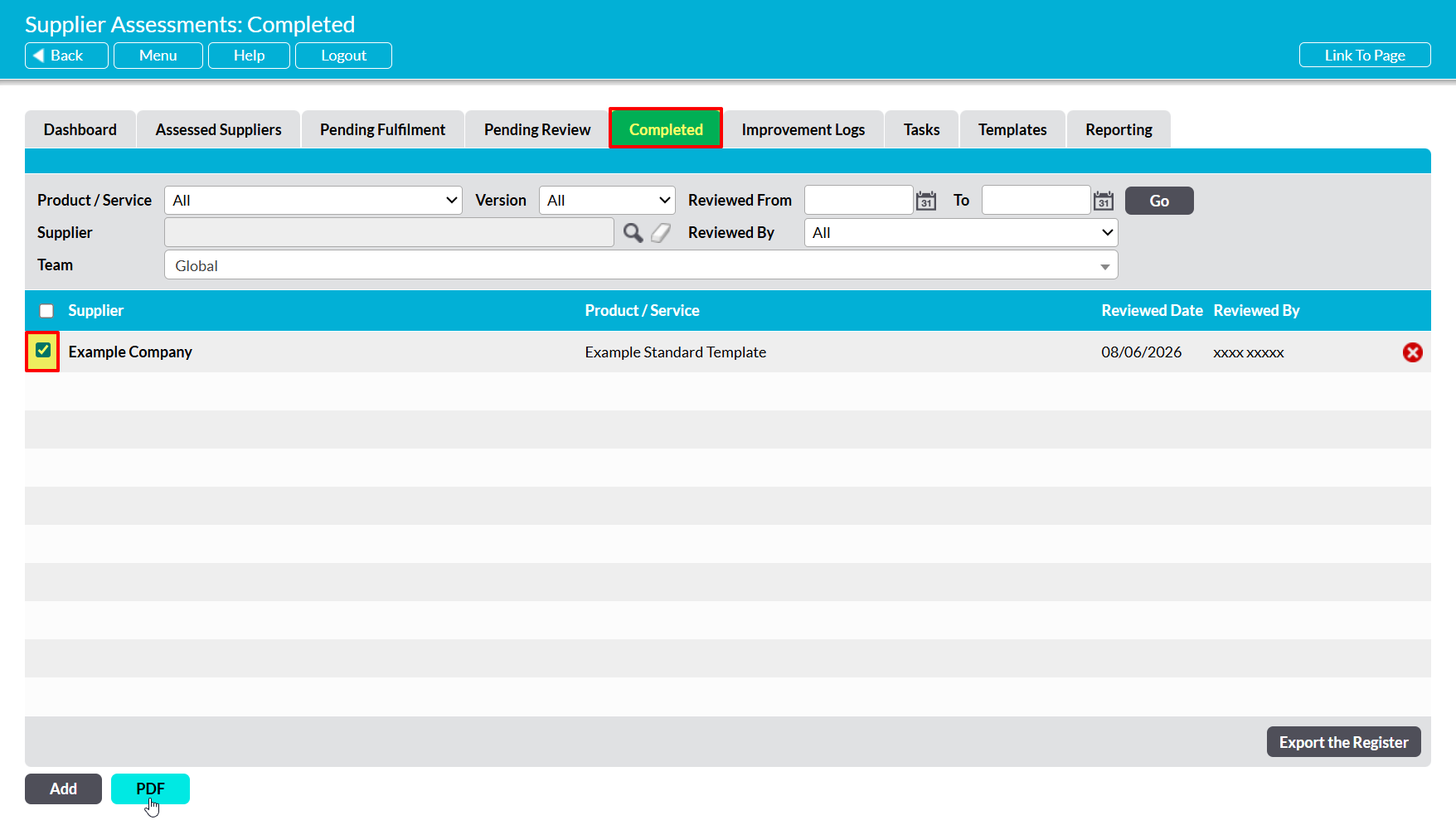
The PDF button’s behaviour may vary slightly depending on your web browser and its settings. In some cases, you may get a popup window or new tab that previews that PDF and from which you can save or print the file, whilst in others the PDF may automatically download to your default downloads location.
Note that the PDF function will only work correctly if the device you are using has access to PDF software that is compatible with your web browser. If your device does not have appropriate PDF software, your web browser will not be able to download the file.
