If you are using the Copy Link function to send your Supplier Assessments to the relevant Suppliers (either exclusively, or in conjunction with the Email function), then it is likely that you will sometimes need assistance to identify whether the link to a given Assessment has already been copied from the system. This is particularly likely if any of your Suppliers are providing critical products/services to your organisation, and if you have external auditors who are likely to require evidence that Supplier Assessments have been sent.
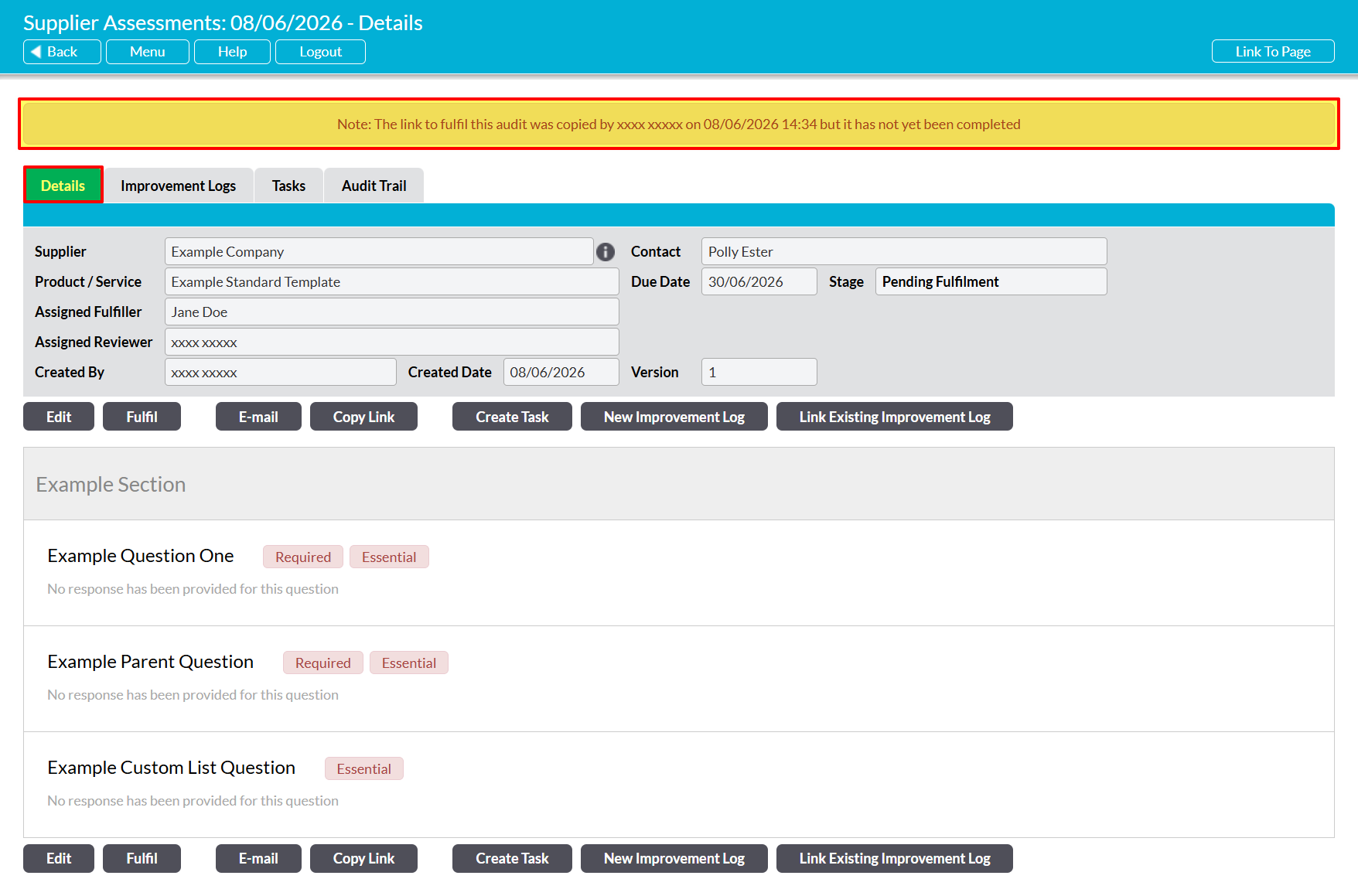
Although Activ is not able to confirm whether a copied link has been provided to a Supplier (as this will occur outside of the Activ system), your system will automatically log any use of the Copy Link function to assist you in managing your Assessments. In addition, the date on which the link was copied, and the name of the user who copied it, is automatically displayed within a dedicated banner that will be shown along the top of the Assessment’s Details form. This banner will remain available until such time as the Assessment has been fulfilled (at which point the banner will disappear, as the Fulfilled Date and Fulfilled By fields are more relevant), or emailed using the Email function (at which point the Sent On banner will take priority).
Note that this functionality is only available for Supplier Assessments that are at the ‘Pending Fulfilment’ stage, and for which the link was copied after 6th June 2026, when this functionality was introduced.
*****
To identify whether an Assessment’s fulfilment link has been copied using the Copy Link function, when, and by whom, open the Assessment’s record on its Details tab and look at the space displayed between the Activ toolbar (i.e. the blue bar along the top of the screen) and the main Details table. This will either:
- Be blank, if no one has emailed or copied the link to the Assessment (or it was emailed before 16th March 2026 / the link was copied before 6th June 2026); or
- Will display a red banner containing the date on which the Assessment’s link was copied, and who did so, if the Copy Link function was used after or instead of the Email function; or
- Will display a red banner containing the date on which the Assessment was sent, and the email address the request was sent to, if the Email function was used after or instead of the Copy Link