
If your package includes the Tasks module, the Business Risk Manager’s functionality is extended to allow you to raise new Tasks against your Risks/Opportunities, and to link existing Tasks to Issues. This feature allows you to identify and manage the supporting actions that may be required to mitigate a Risk or realise a potential Opportunity. For example, you may use Tasks to:
- assign someone to investigate and document the Controls that might assist you in managing the Issue;
- assign someone to review and update documentation for any Controls that have already been added to the Issue;
- assign someone to undertake a specific action or implement a specific process required to help control a Risk or support realisation of an Opportunity, etc.
For convenience, this article is split into two sections:
*****
Raise a new Task from a Risk/Opportunity
To raise a new Task from a Risk/Opportunity, open the Issue on its Details tab and click on the Create Task button displayed at the top of the screen.

You will be presented with a popup window containing a new Add Task form. Most fields within the form will be blank, but the Issue will automatically be linked within the Task’s Links section.
Enter the additional details as appropriate (see Create a Task for guidance), and then click Save.

You will be returned to the Risk/Opportunities Details tab, and the Task will be displayed within the Issue’s dedicated Tasks tab.
*****
Link an Existing Task to a Risk/Opportunity
To link a Risk/Opportunity to an existing Task, open the Issue on its Details tab and click on the Link Existing Task button displayed at the top of the form.
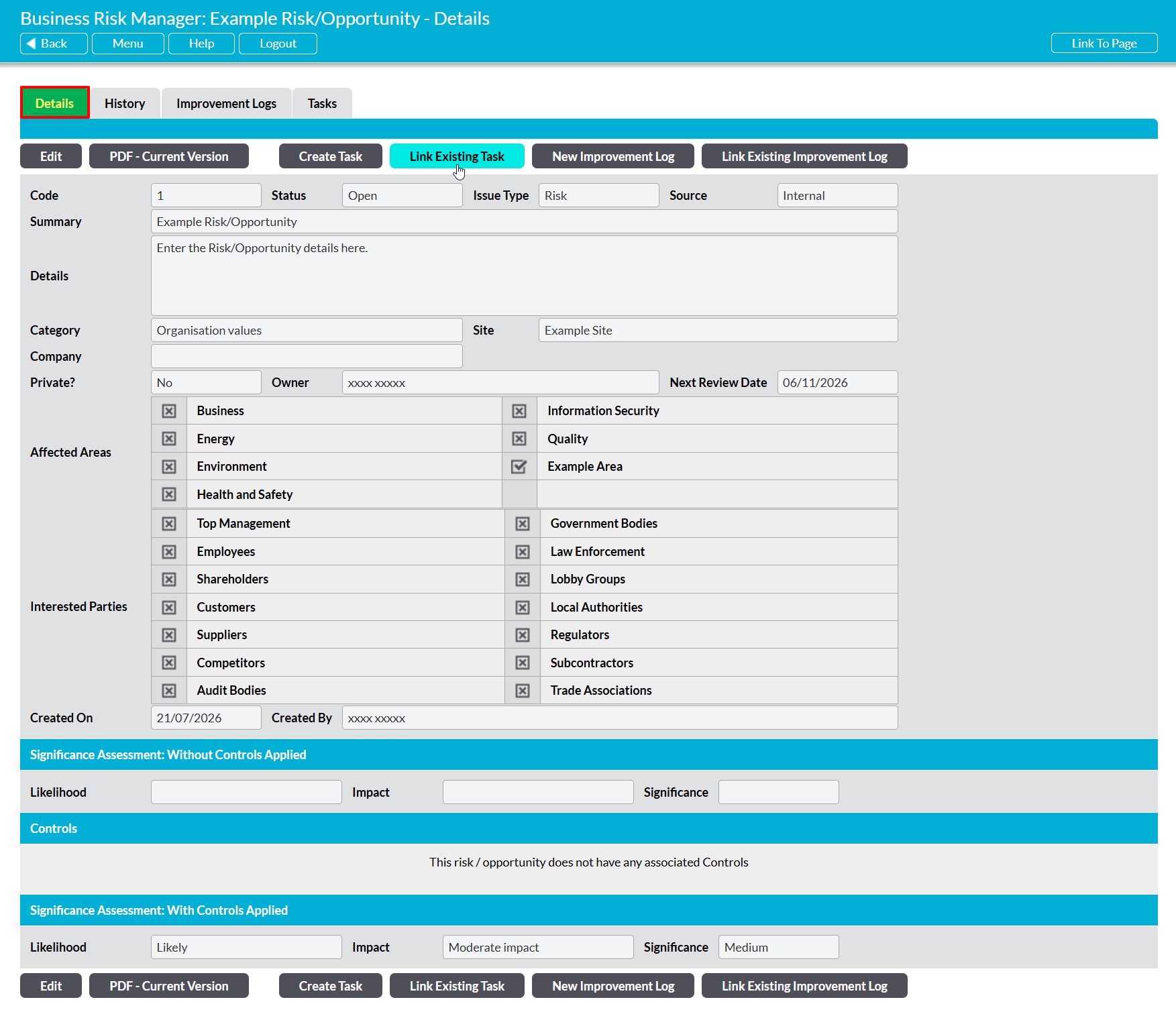
You will be presented with a popup displaying the Tasks that are currently recorded within your system. Use the tick boxes to the left of each record to select the Tasks that should be linked to the Issue, and then click Save.

You will be returned to the Risk/Opportunities Details tab, and the Task will be displayed within the Issue’s dedicated Tasks tab.
